


Most support teams aren’t struggling because people aren’t working hard
Usually, it’s the opposite. The team is working constantly. Too many tabs open. Too many systems running at the same time. Too much information sitting in different places.
One customer call somehow turns into:
- Checking the CRM
- Opening old tickets
- Reading chat history
- Asking the customer to explain everything again
And after a while, support starts feeling heavier than it should. That’s honestly where a lot of companies start looking at VoXgent.AI CRM integration, not because they suddenly want “AI,” but because the current setup is creating unnecessary friction every single day.
The issue usually builds slowly
Most companies don’t wake up one morning with a broken support workflow. It happens gradually. Maybe the business adds a chat tool. Then a ticketing system. Then another platform for calls. Then the CRM gets updated later. Individually, each tool works fine.
But together?
Not really.
Agents keep switching between systems. Conversations lose context. Customers repeat the same issue multiple times. Nobody notices it immediately because teams slowly adapt around the mess. But eventually the cracks become obvious.
Customers notice disconnected systems faster than companies do
This part matters more than most teams realize. Customers may not know what software you use. But they absolutely notice when:
- Support feels slow
- Nobody has context
- Conversations restart every time they switch channels
That frustration builds quickly. Especially when someone already explained the issue once, and honestly, this is why CRM and support tool integration matters so much now. People expect support conversations to continue naturally, not restart from zero every time.
Where VoXgent.AI actually helps
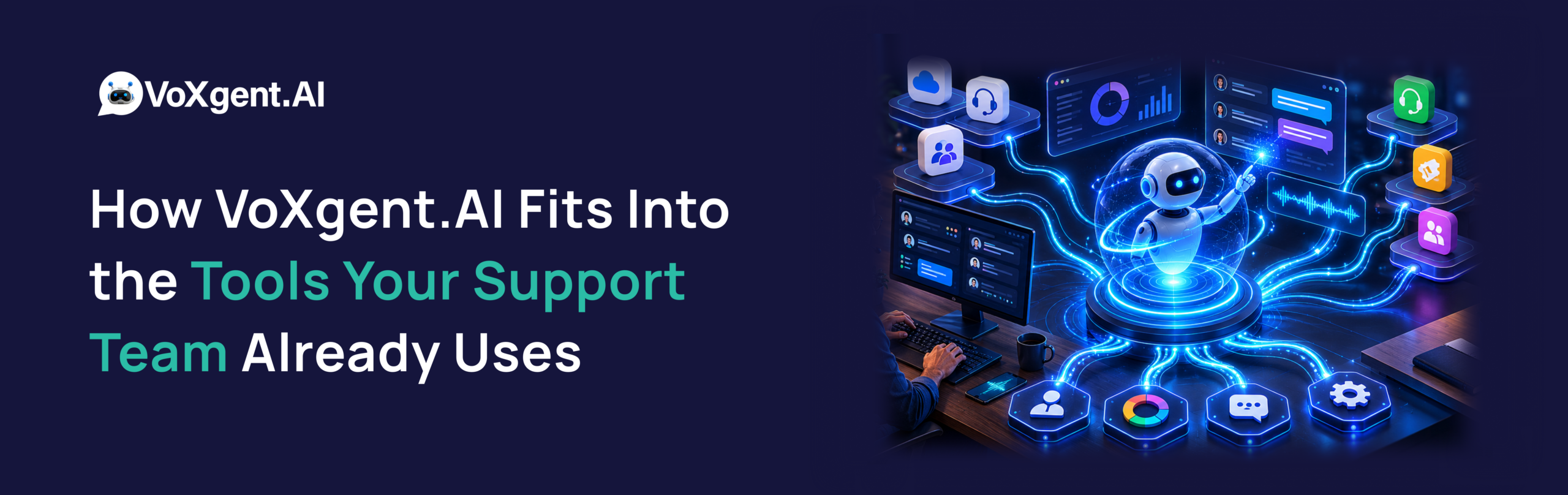
This is where VoXgent.AI becomes useful in a very practical way. Instead of acting like another disconnected platform, it connects with the systems businesses already use. So when a customer calls:
- The CRM already has context ready
- Previous interactions are visible
- Support history is connected
- Conversations feel continuous instead of fragmented
That changes the experience immediately. Not in a dramatic “future of AI” kind of way. Just in a very operational, everyday way that makes support smoother.
A simple example
Let’s say someone contacts support about an order issue. In a disconnected setup:
- The customer explains the issue
- The agent searches manually
- Another department gets involved
- The customer repeats everything again later
You’ve probably experienced this yourself somewhere. Now compare that with a workflow using VoXgent.AI CRM integration. The moment the interaction starts:
- Customer details already appear
- Previous conversations are connected
- Open tickets are visible
- Context carries across channels
The conversation moves faster because nobody is rebuilding the story from scratch. It feels small when reading about it. Operationally, it makes a huge difference.
Agents usually feel the improvement first
This is something companies underestimate. Leadership often looks at automation through the lens of cost savings. But internally, support teams notice something else first: less mental load. Less switching between tabs, Less searching for information, Less repetition, Less frustration during busy hours, and when agents aren’t constantly piecing together disconnected information, conversations naturally improve too. That’s one reason businesses adopting VoXgent.AI support automation often see operational improvements faster than expected.
VoXgent.AI doesn’t require rebuilding everything
A lot of businesses hesitate because they assume implementation means disruption. Usually they picture:
- Replacing existing systems
- Retraining entire teams
- Changing workflows overnight
But most companies using VoXgent.AI start much smaller than that. They connect one workflow first. Maybe incoming support calls, Maybe appointment scheduling, Maybe repetitive customer queries. Then they expand gradually once the team gets comfortable. That approach tends to work far better than trying to transform everything at once.
Automation works better when systems are connected
This is important. AI voice systems without integrations usually feel limited pretty quickly. Because automation without context creates robotic conversations. But when VoXgent.AI CRM integration connects voice interactions with customer history and support workflows, the experience changes completely.
The system can:
- Recognize returning customers
- Route conversations intelligently
- Pull account details automatically
- Update records after conversations
- Reduce repetitive manual work
That’s what makes automation actually useful in real operations. Not flashy demos. Just fewer operational headaches.
Scaling support gets easier too
Disconnected systems become harder to manage as businesses grow. More customers means:
- More conversations
- More context switching
- More manual coordination
- More operational complexity
Eventually teams reach a point where hiring more people doesn’t fully solve the problem anymore. Because the real issue is workflow friction. That’s where businesses start focusing more seriously on customer support workflow automation and connected systems, and honestly, that shift is happening across almost every industry now.
VoXgent.AI helps support feel more connected
The biggest change usually isn’t “AI.” It’s continuity. Customers stop repeating themselves, Agents stop hunting for information, Conversations move faster, Support feels calmer internally.That’s really what businesses are trying to achieve when they invest in connected voice platforms, and that’s whereVoXgent.AI fits naturally into existing support environments.
Most teams don’t start with a massive rollout
Usually it’s much simpler. They:
- Connect the CRM first
- Automate one repetitive workflow
- Improve visibility across conversations
- Expand gradually after seeing results
That’s often enough to show immediate operational improvements without overwhelming teams, and honestly, gradual adoption tends to work better anyway.
The bigger shift happening behind the scenes
Support operations are changing. The companies scaling customer experience well are not necessarily the ones with the biggest support teams. Usually, they’re the ones reducing friction internally. Connected systems, Shared customer context, Smarter workflows, Less repetitive work. That combination creates better support experiences without constantly adding operational pressure, and that’s really what VoXgent.AI CRM integration is helping businesses move toward.
What this really comes down to
Most support issues aren’t caused by bad teams. They happen because systems don’t communicate properly, and once conversations, customer history, and workflows start connecting together properly, support becomes noticeably easier to manage. That’s why more businesses are integrating platforms like VoXgent.AI into their CRM and support environments, not to replace people, but to remove unnecessary operational friction.
Want to See How VoXgent.AI Fits Into Your Current Workflow?
If your support team constantly switches between tools, repeats manual tasks, or struggles with disconnected customer conversations, it may be worth looking at how connected workflows could improve operations.
With VoXgent.AI CRM integration, businesses can:
- connect customer conversations across systems
- reduce repetitive support work
- improve operational visibility
- streamline customer interactions without rebuilding workflows
Explore how VoXgent.AI works with your support stack
- Book a live VoXgent.AI demo
- Identify repetitive workflows that can be automated
- See how VoXgent.AI connects with your CRM and support tools
FAQs
1. What tools can VoXgent.AI integrate with?
VoXgent.AI can connect with CRM systems, ticketing platforms, scheduling tools, support software, and other operational workflows businesses already use.
2. Does VoXgent.AI replace our CRM?
No. VoXgent.AI is designed to work alongside existing CRM systems and improve how conversations and workflows connect together.
3. How does VoXgent.AI improve customer support workflows?
By connecting customer conversations with support history and operational systems, VoXgent.AI helps reduce repetitive work and gives teams better visibility during interactions.
4. Is VoXgent.AI useful for enterprise support environments?
Yes. Many businesses use VoXgent.AIbecause it fits into existing enterprise workflows without requiring a complete operational overhaul.
5. Can VoXgent.AI automate repetitive support conversations?
Yes. VoXgent.AI can handle repetitive customer interactions while still escalating more complex conversations to human teams when needed.
6. Is implementation difficult?
Most businesses start gradually by integrating a few workflows first. That approach usually keeps adoption smoother for internal teams.
Still figuring out whether connected voice AI makes sense for your team?
That’s completely normal. Most businesses don’t realize how much operational friction exists until they actually see connected workflows in action.
Talk to a VoXgent.AI expert
- Review your current support workflow
- Identify areas creating repetitive operational load
- Explore how connected voice AI could simplify customer support operations
